How to Install a Ceiling Fan | Pretty Handy Girl

Easily learn how to install a ceiling fan by following this simple step-by-step installation process. No licensed electrician required.

new ceiling fan installed in porch

Ceiling Fan Installation Project

I’ve installed probably a dozen ceiling fans in my life. Pretty Handsome Guy was remarking to me last night, “Wait, you mean you’ve never written a tutorial on how to install a ceiling fan on the blog?”

It’s true, most of the installs were pre-blogging days. For this reason, I was truly excited when Casablanca contacted me and asked if I wanted one of their new ceiling fans.

I knew it was a great opportunity to put together a tutorial for you so you could see that installing a ceiling fan is not a difficult DIY project!

Plus, we had Casablanca fans in our previous house and they are well made and will last a long time. Therefore, I have no hesitation recommending Casablanca to you!

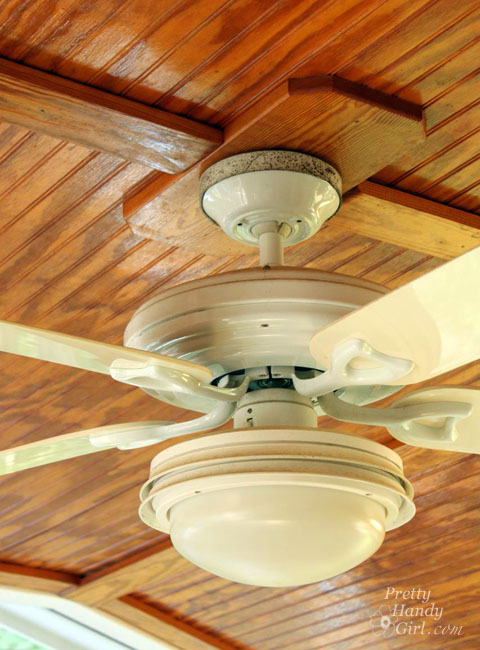
Okay, and I also wanted to change your mind about ceiling fans and design aesthetics. I know that some designers break out in hives when a client wants a ceiling fan. And who can blame them when the stereotypical ceiling fan looks like this:
How to Install a Ceiling Fan | Pretty Handy Girl

Oh yes, she’s a beauty. And she’s all mine, complete with moldy canopy and boobilicious globe. In all seriousness, that fan was U-G-L-Y. Plus, it was a bit too small for our porch and didn’t do well with the warm air circulation. (You can figure out what size ceiling fan you need for your space in the FAQ section on the Casablanca site.)

You can now understand why I was actually delighted to hang out on top of an 8 foot ladder in 95 degree heat to install a new ceiling fan.

Yes, I was excited, especially because Casablanca has so many beautiful options for stylish fans. And I know, they have ceiling fans that will surely have the designers changing their tune.

Casablanca Fan Collection | Pretty Handy Girl

Safety, Prep, and Hints Before You Install a Ceiling Fan:

Before I give you the full tutorial for the installation process, we need to talk about prep work and safety.

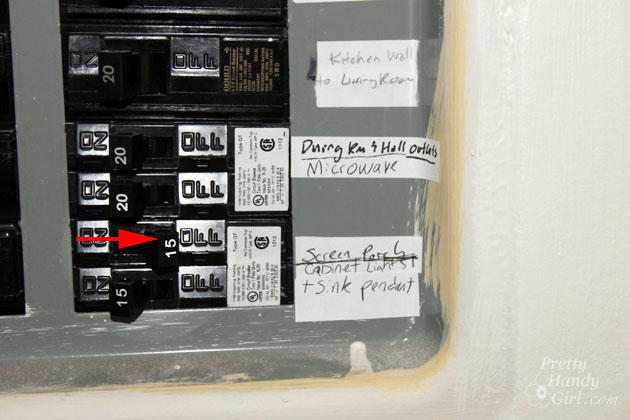
First, do not attempt any electrical projects until you have turned off the power to the light switch fixture or wall switches you are working on.

I like to turn on the fan and light (they are often on two different power lines) and then shut off the power on the circuit breaker. This gives me the visual assurance that the power is indeed off.

Next, if you are replacing a light fixture with a ceiling fan, you MUST make sure that the junction box is attached to a support.

This means the box is screwed into a ceiling joist, brace, or the junction box is attached to a Ceiling Fan BraceDo not attach a fan to a ceiling fan box that is not able to hold the full weight of the fan (and all the vibration it will produce over the years.)

If you don’t have proper bracing for your fan—have no fear—look into purchasing a Ceiling Fan Brace that can be installed from inside the room (no need to crawl into the attic.)

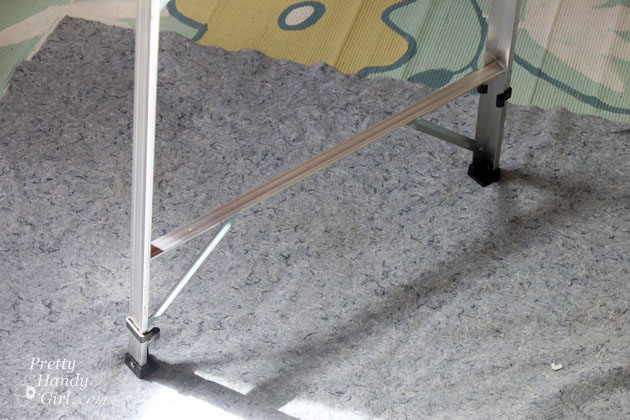
Finally, you need to have a Sturdy A-Frame Step Ladder tall enough to reach 1-2 feet below the fan during installation. And having an assistant who can hand you the motor when it’s time to hang the fan is a great way to save time and make the job a bit easier.
How to Install a Ceiling Fan | Pretty Handy Girl

One handy tip: You will most likely drop a screw during the installation. If you are working on a porch with slats, lay down a blanket under the ladder to catch them. This also helps aid in a quick clean up from dust and dropped dry wall debris.

Ready to get your cool on by installing a beautiful new ceiling fan? Here are a few necessary tools you will likely need to make the process easier. Having the right tools makes it so much easier!

Let’s take a spin shall we:

Materials:

(I’ve included affiliate links for your convenience. I earn a small percentage from a purchase using these links. There is no additional cost to you. You can read more about affiliate links here.)

Instructions:

Turn off the power to your light fixture/fan in the circuit box.
How to Install a Ceiling Fan | Pretty Handy Girl

Remove the existing fan and/or light fixture:

Check to make sure the fan AND light do not have power to them.

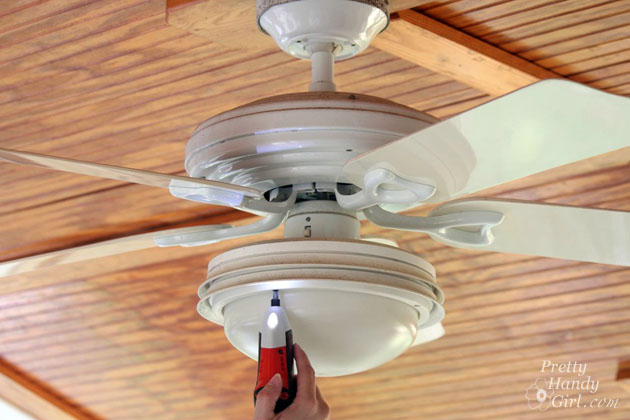
Begin by removing the existing fixture or fan. All ceiling fans are different, but most require removing the light kit before you can get access to the fan blades and motor. Assess the fixture and look for screws to unscrew.
How to Install a Ceiling Fan | Pretty Handy Girl

Remove the light bulbs and save them for another fixture.
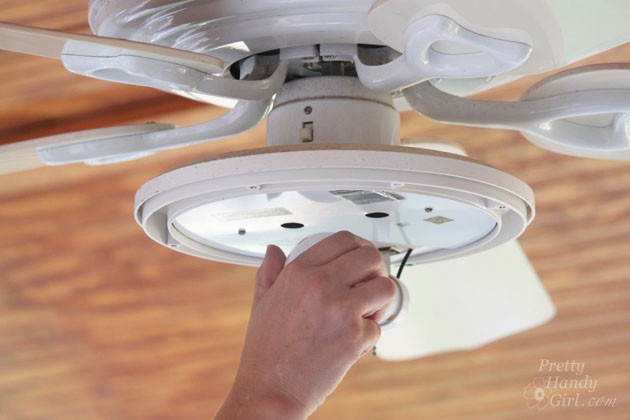
How to Install a Ceiling Fan | Pretty Handy Girl

Keep removing screws until you can access the wiring. Disconnect the wire connectors from the light kit to the fan.
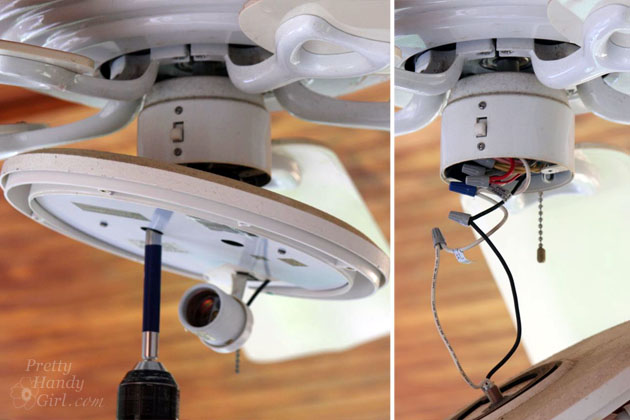
How to Install a Ceiling Fan | Pretty Handy Girl

Remove the fan blade arms one at a time. It helps to remove blades opposite of one another to keep the fan semi-balanced.
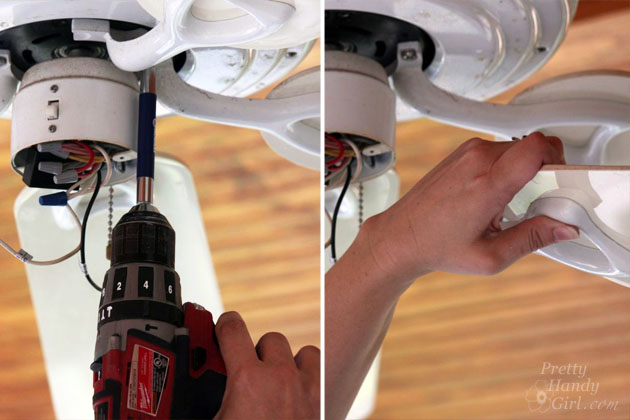
How to Install a Ceiling Fan | Pretty Handy Girl

Disconnected the electrical wiring from the fan to the ceiling. Remove the ceiling fan motor. (Sing a tune if you like.)

How to Install a Ceiling Fan | Pretty Handy Girl

And finally, remove the mounting bracket.
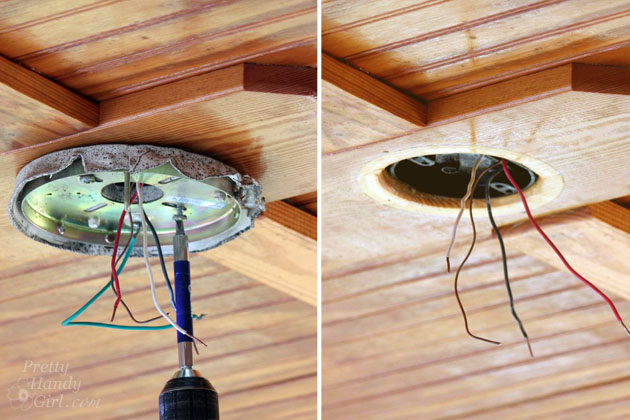
How to Install a Ceiling Fan | Pretty Handy Girl

Prepare the new fan for installation:

The fan I installed is the Casablanca 56″ Caneel Bay Aged Steel Ceiling Fan. It is the perfect choice for our porch and a huge upgrade from our old light fixture.

Prior to choosing your new fan, it helps to know the ceiling height and determine the center of the room for placement.You want to find the right fan for the size of your room. As always, be sure to refer to your manufacturer’s instructions prior to install.

The new fan is not only stylish, but also a full 6″ wider than the previous fan. This means better airflow on our screen porch, which helps make that warm air a little cooler!

This may also help with energy savings in the hot summer months.

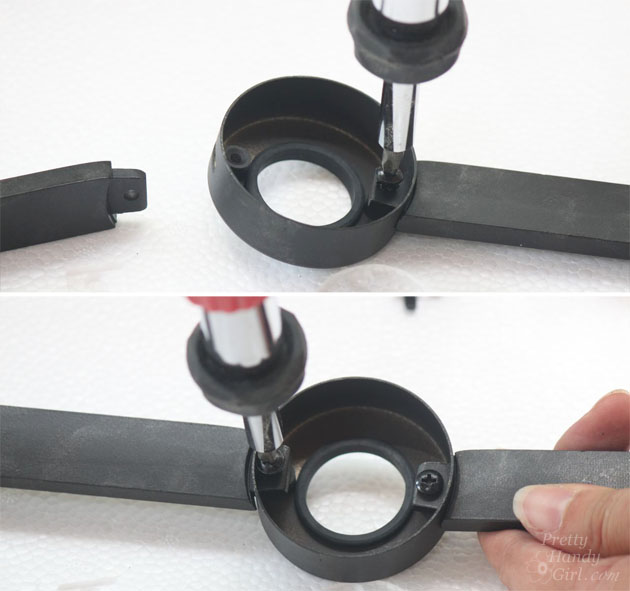
Before hanging the fan, the decorative arms need to be assembled. Screw the arms to the decorative cup:
How to Install a Ceiling Fan | Pretty Handy Girl

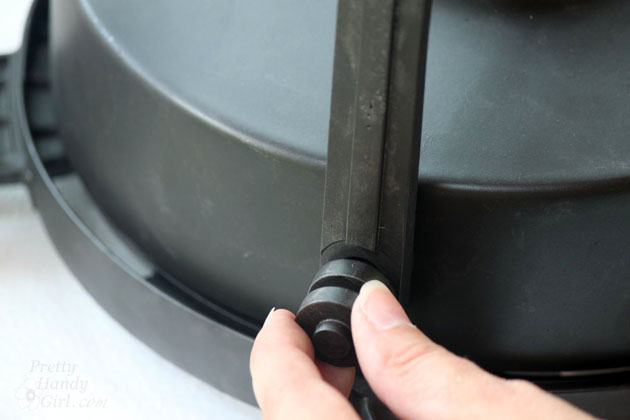
Attach the arms to the side of the fan motor. Hand tighten the decorative screws.
How to Install a Ceiling Fan | Pretty Handy Girl

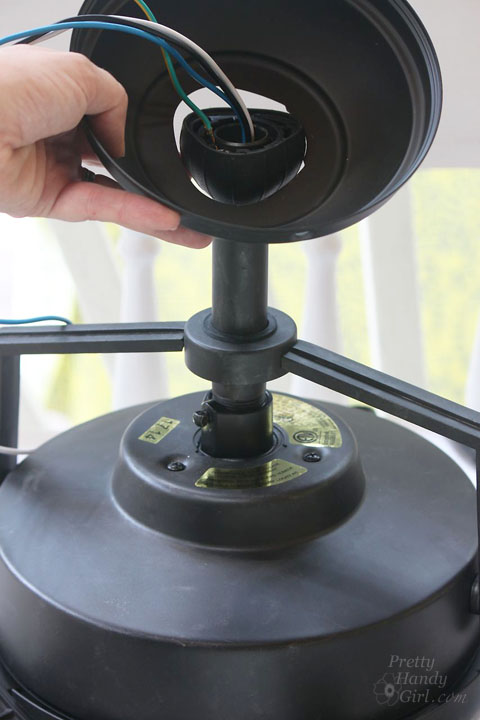
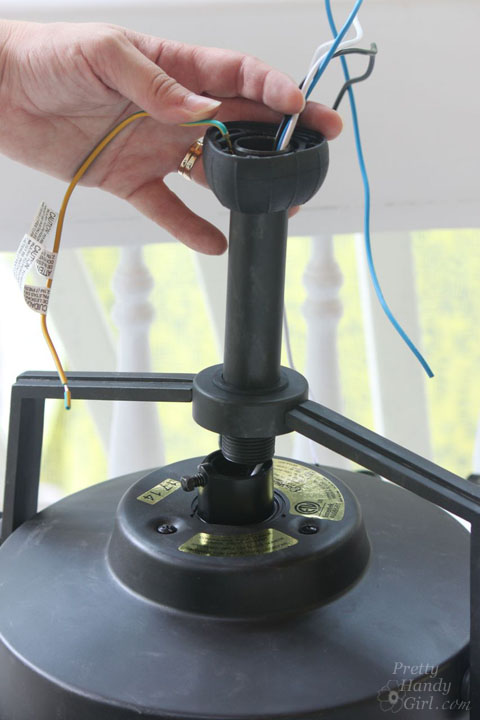
Insert the downrod through the decorative cup. Thread the wires through the top of the downrod. Loosen the set screw.
How to Install a Ceiling Fan | Pretty Handy Girl

Turn the downrod into the top of the fan until it is tight. Tighten the set screw securely using pliers to insure a tight hold.

How to Install a Ceiling Fan | Pretty Handy Girl

Slip the canopy over the downrod.

How to Install a Ceiling Fan | Pretty Handy Girl

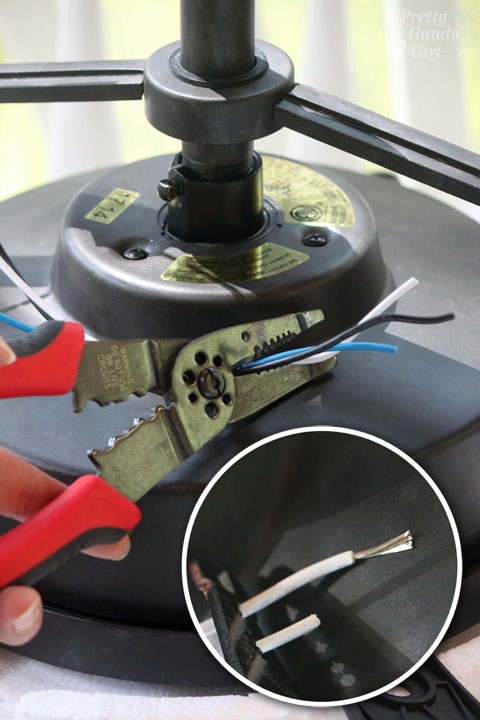
Trim the excess wires a little shorter (I like to leave 8-12″ more than I think I’ll need.) Strip approximately 3/4″ of the insulation off the ends of the wires.
How to Install a Ceiling Fan | Pretty Handy Girl

Locate the hanging bracket and secure it to the stud that holds the junction box, or secure it to the junction box if it is bolted to a ceiling fan brace. Pull on the hanging bracket to make sure there is no movement and it feels secure.
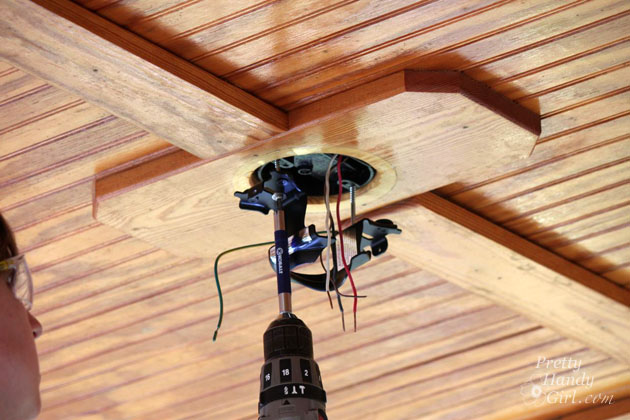
How to Install a Ceiling Fan | Pretty Handy Girl

Bribe your assistant to hand you the ceiling fan motor. Gently slip the top of the downrod into the hanging bracket. Be careful not to pinch any of the wires.
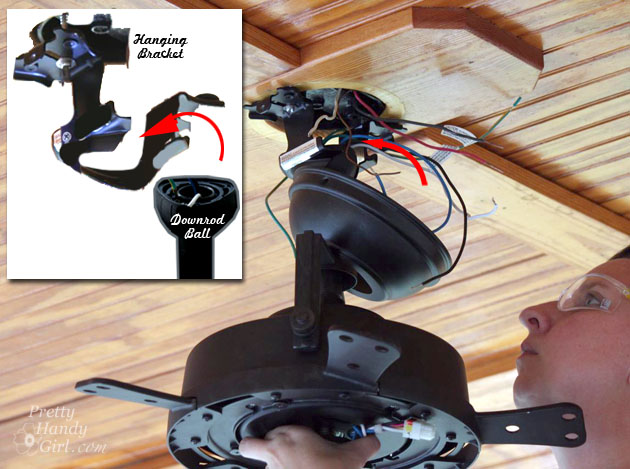
How to Install a Ceiling Fan | Pretty Handy Girl

Now you can let your assistant go. The hanging bracket will hold the fan while you make your wiring connections.

Wiring a Ceiling Fan for Wall Switch Control (with 2 power wires – one for the fan and one for the light):

Most of the ceiling fans installed in the past used two switches if it had a light. This means there are two separate power wires that are in the junction box.

Plus, one neutral wire and one ground. This is the standard installation for a ceiling fan that doesn’t have a remote and a receiver. It’s important to ensure you are working with the correct wire color for installation.
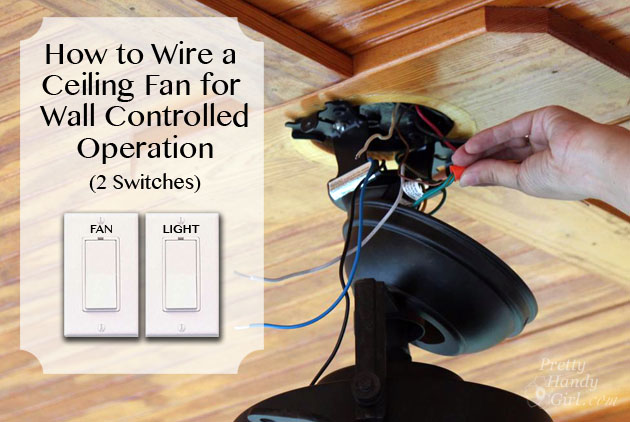
How to Install a Ceiling Fan | Pretty Handy Girl

Always attach your ground wires first (copper, bare or green wires). You will want to attach the wires together with a wire nut and then wrap part of the bare wire around the ground screw attached to the mounting bracket.

Or in the case of the Casablanca fan, attach the green and yellow striped wire (from the hanging bracket) to the green wire from the fan and the ground wire from your ceiling box.

Next, attach the white neutral wire from the ceiling box to the white wire from the fan.

Attach the black wire from the ceiling box to the black wire on your fan. And finally, attach the additional power wire (usually red, but can be black or striped) to the blue wire (this color may vary) from the fan.
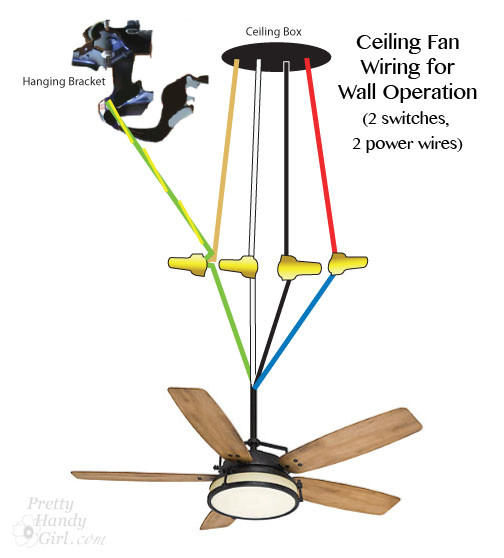
How to Install a Ceiling Fan | Pretty Handy Girl

Gently tuck the wires into the ceiling junction box. It is good practice to put the white neutral wires on the opposite side of the box as the red and black power wires.
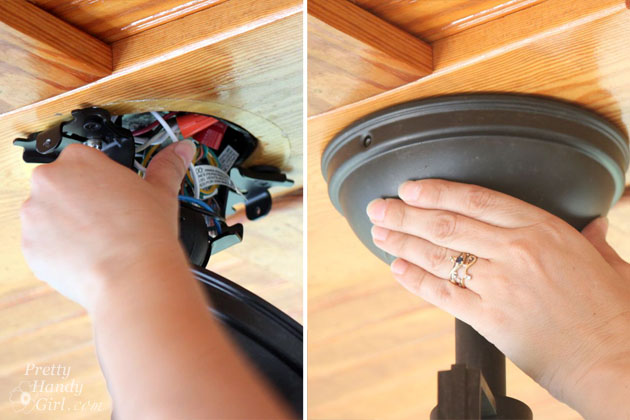
How to Install a Ceiling Fan | Pretty Handy Girl

Cover the wires and mounting bracket with the canopy and screw it into place.
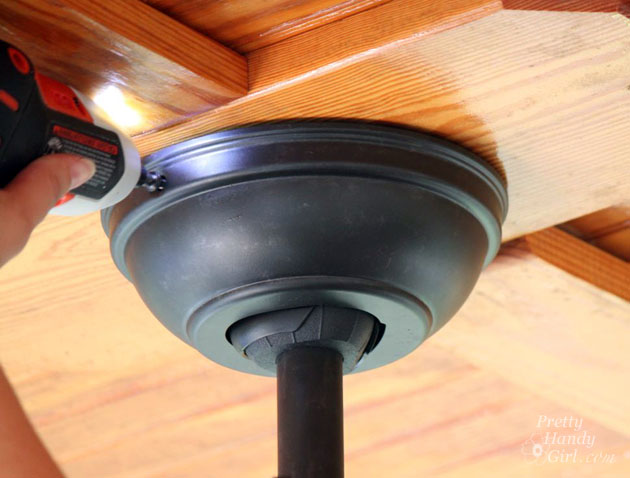
How to Install a Ceiling Fan | Pretty Handy Girl

Wiring a Ceiling Fan for Remote Control Operation (using one power wire):

The Casablanca fan I installed has a remote control for the lights and fan speeds. The remote communicates to a receiver which independently controls the fan and lights.

This gadget effectively eliminates the need for two separate power wires.

How to Install a Ceiling Fan | Pretty Handy Girl

Wiring with the receiver is a little more work because you are creating more connections, but it’s just as easy to do.

First, cap off your extra power wire (if you have one) and tuck it into the ceiling box. (For added safety, wrap electrical tape over the wire nuts and wire.)

Next, attach the ground wires together (copper, bare or green wires). Use a wire nut to attach the wires together, then wrap part of the bare wire around the ground screw attached to the mounting bracket.

Or in the case of the Casablanca fan, attach the green and yellow striped wire (from the hanging bracket) to the green wire from the receiver and the ground wire from your ceiling box.

Next, attach the white neutral wire from the ceiling box to the white wire from the receiver.

Attach the black wire from the ceiling box to the black wire on your receiver.

Now make the connections from the receiver to the fan. Attach the white wires first, then the black and finally attach the two blue wires together with a wire nut.
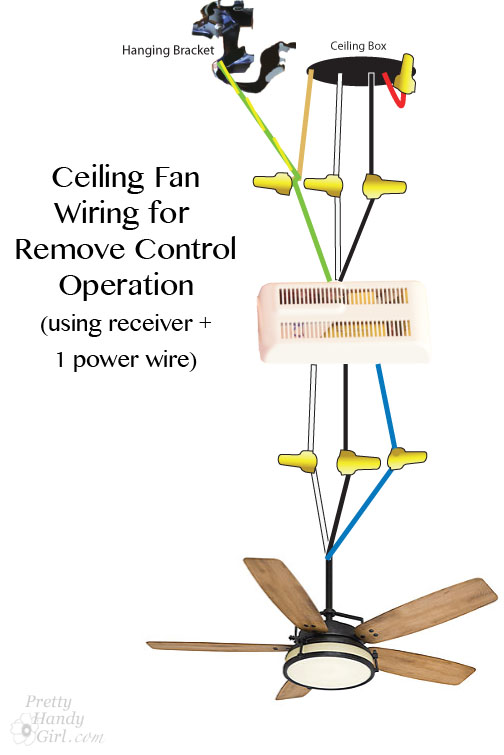
How to Install a Ceiling Fan | Pretty Handy Girl

Carefully tuck the wires into the ceiling box. Then gently slide the receiver inbetween the hanging bracket and the ceiling box.

You might need to play with the wires a little to get everything to fit neatly.
How to Install a Ceiling Fan | Pretty Handy Girl

Raise the canopy over the hanging bracket and secure it with the screws provided.

How to Install a Ceiling Fan | Pretty Handy Girl

Step-by-Step Instructions for Installing the Fan Blades and Light Kit:

Installing the fan blades on the Caneel Bay are a little tricky, but once you get one blade assembly screw and nut attached it moves quickly.

It’s a good idea to try to attach blades across from one another to keep the fan relatively balanced.

How to Install a Ceiling Fan | Pretty Handy Girl


Lift the upper switch housing up onto the fan motor. Thread the wires through the center hole. Use the provided screws to attach the housing.
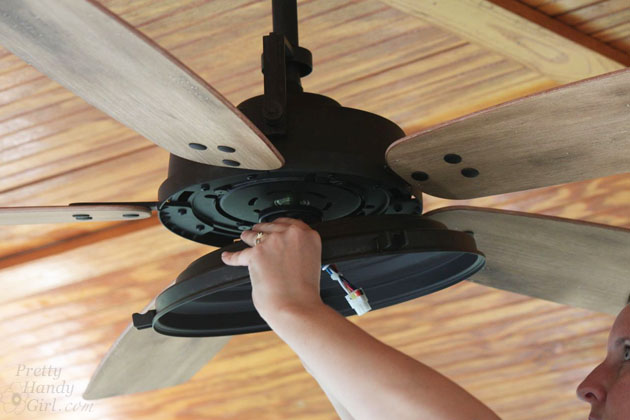
How to Install a Ceiling Fan | Pretty Handy Girl


Connect the wires from the fan motor to the wires on the switch housing (light kit). Connecting them is super easy, just line up the colors and snap the wiring harness together and make sure it is secured.
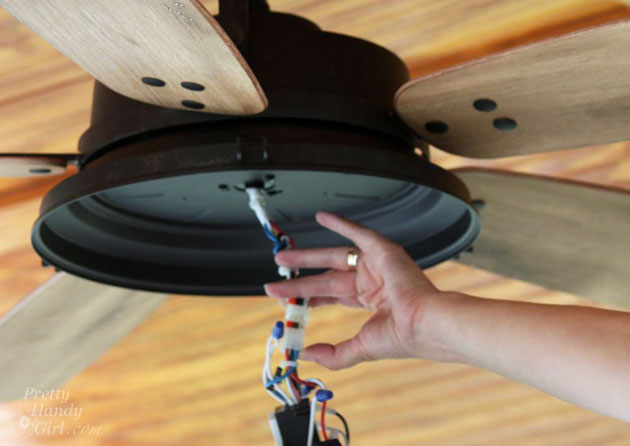
How to Install a Ceiling Fan | Pretty Handy Girl

Screw the light kit (switch housing) into the fan.
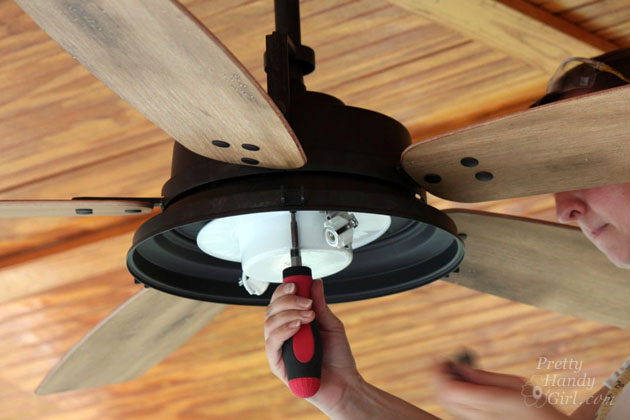
How to Install a Ceiling Fan | Pretty Handy Girl

Add the provided halogen light bulbs. (Avoid touching halogen bulbs with your fingers because the salt and oils in your skin could cause the bulbs to wear out faster.)
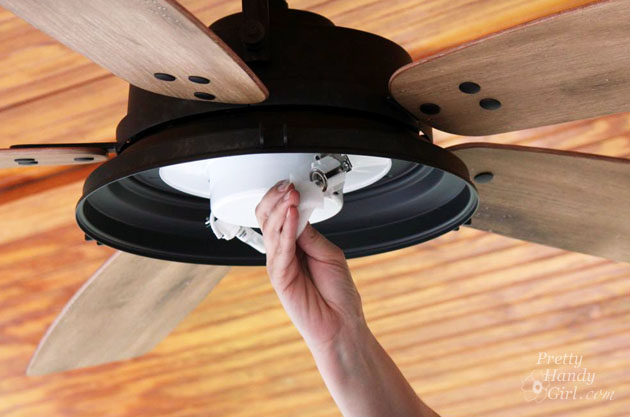
How to Install a Ceiling Fan | Pretty Handy Girl

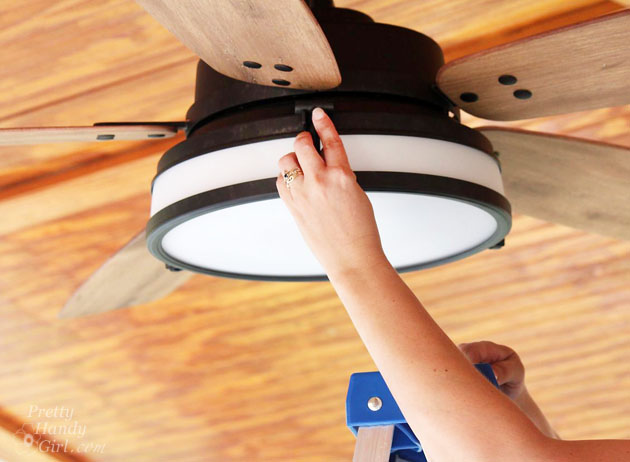
Attach the globe to the fan, making sure all the “hammers” on the globe ring are secured in the notches on the fan.

How to Install a Ceiling Fan | Pretty Handy Girl

Turn the power on and make sure the light and fan works appropriately. If it fails to work, one of your wire connections may have come loose.

Turn off the power and check your connections.
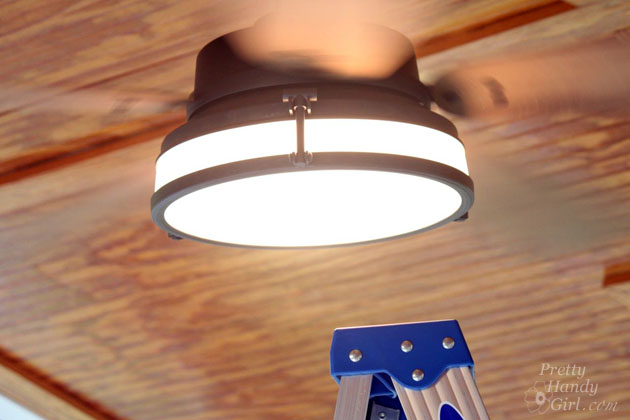
How to Install a Ceiling Fan | Pretty Handy Girl


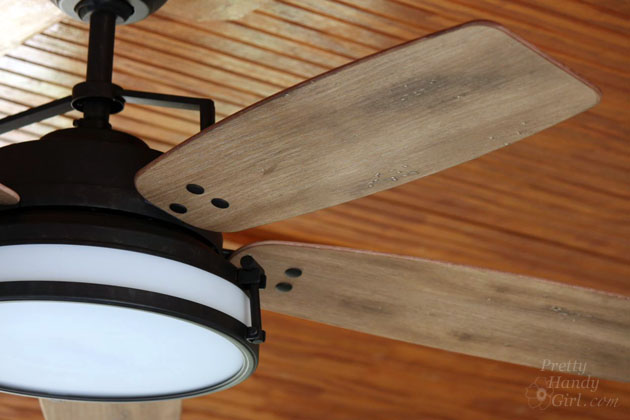
It’s time to appreciate the beauty of a new ceiling fan. And enjoy the efficiency of the wider blade span as it moves the air and cools you off.

Excuse me now while I drink some ice cold lemonade and chill out.

How to Install a Ceiling Fan | Pretty Handy Girl

Do you love the look of the Caneel Bay fan as much as I do? Or do you think you’d like a more modern ceiling fan?

I’ll be back next week to show you a few more changes I made on our screen porch. I hope you found this ceiling fan installation tutorial helpful.

PHGFancySign

Disclosure: This post is sponsored by Casablanca Fan Company. I was sent a complimentary fan and compensated for my time. All images, ideas and words are my own. I will always let you know the relationship I have with a brand via a disclosure. Also know that I am very particular about the brands I work with.

You may also like this DIY project:

Installing the Most Beautiful Ceiling Fan | Haiku Copper Luxe Ceiling Fan | Pretty Handy Girl

Installing the Most Beautiful Ceiling Fan

PIN FOR LATER:

ceiling fan before and after
How to Rewire a hard-wired sconce light to a plug-in style light

Today I’m going to show you how to convert a hard-wired light to a plug in. And I’ll even show you how to add an on/off roll switch.

How to Rewire a hard-wired sconce light to a plug-in style light

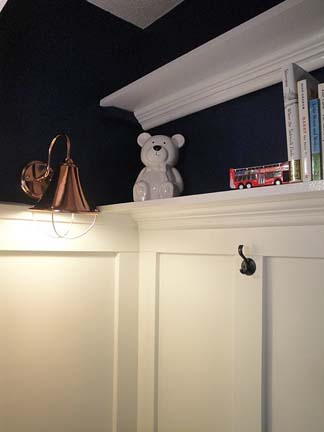
If you’ve been following the Pretty Handy Girl blog, you will recognize this copper wall sconce from the reading nook post. It was a $5 find at the Habitat for Humanity ReStore!

The sconce was a wall mount hard-wired lamp that had already been converted to a plug-in style. However, it needed a longer cord, I wanted to ditch the brown cord, and add a switch on the cord. The process is the same as wiring a hard-wired lamp to be a plug in. Let’s do this together!

I have to tell you, re-wiring a lamp is one of the easiest electrical DIY projects to tackle. Especially on this sconce since it doesn’t have a long pole that the wires have to feed through. Hopefully, after reading this post, I can convince you to go ahead and fix that lamp. Or put a rolling switch on a light fixture you currently use.

Required Safety Tip: BEFORE WORKING ON ANY ELECTRICAL DEVICE, BE SURE IT IS UNPLUGGED OR YOU HAVE TURNED OFF THE POWER TO THE LIGHT FIXTURE OR OUTLET. 
Okay, now that we have that out of the way, don’t be scared, you can do this!

At this point, I actually looked inside the lamp. What the heck is that? Where are the threads?

Oh drat, someone broke a bulb and left the base screwed inside the fixture. Luckily I know 4 Ways to Remove a Broken Light Bulb!

How to Convert Hard-wired Light to Plug-in Style:

Tools needed:

(I’ve included affiliate links for your convenience. I earn a small percentage from a purchase using these links. There is no additional cost to you. You can read more about affiliate links here.)

Instructions to Rewire a Lamp:

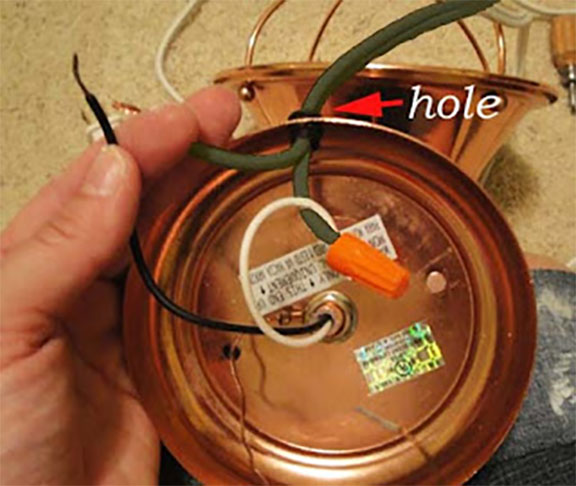
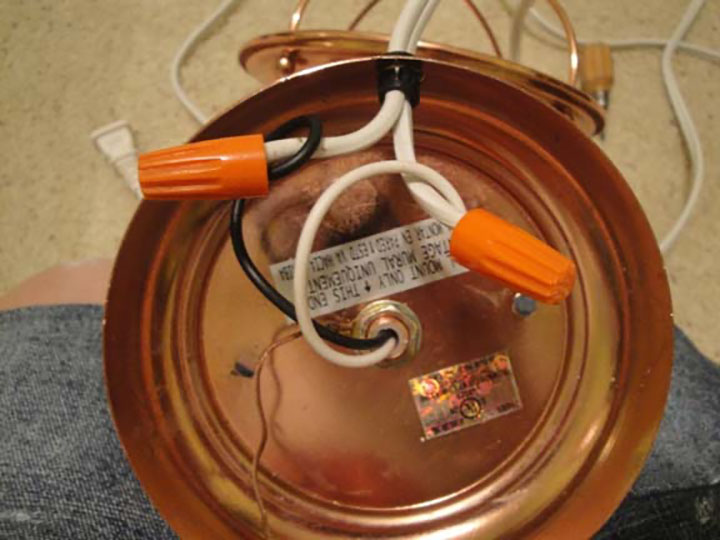
1. Unplug the lamp. Unscrew the wire nuts. And untwist the wires.

2. Firmly pull the cord out of the hole. TIP: If you have a lamp with a long pole body, you can tape the new cord to the old so that the new cord is fished through the lamp as you are removing the older one.

3. Feed the new wire back through the hole.

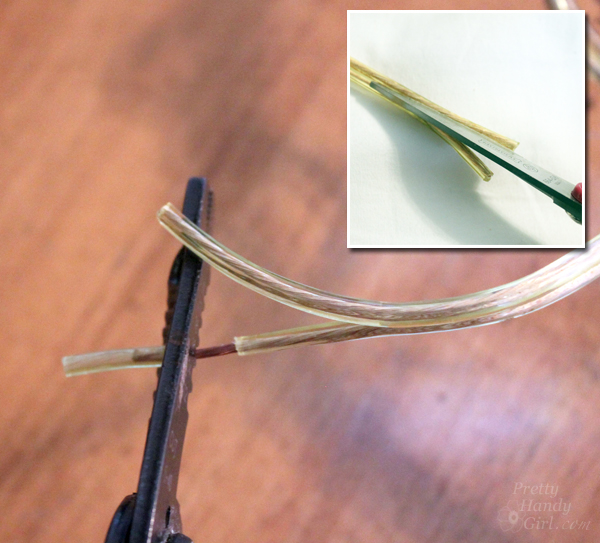
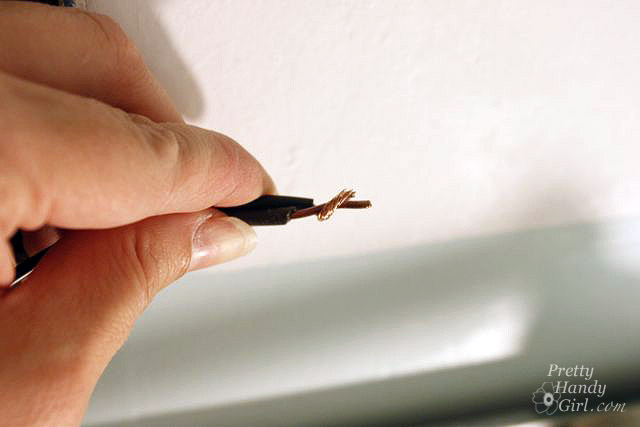
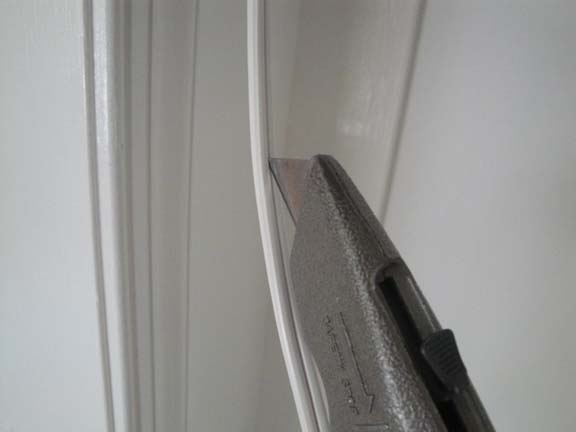
4. At this point (if you need to), you can trim your lamp cord to size using wire cutters. Then you will need to separate the cords slightly using your utility knife to cut gently on the center seam. Strip off about 3/4″ of the white insulation using your wire strippers to expose your wires.

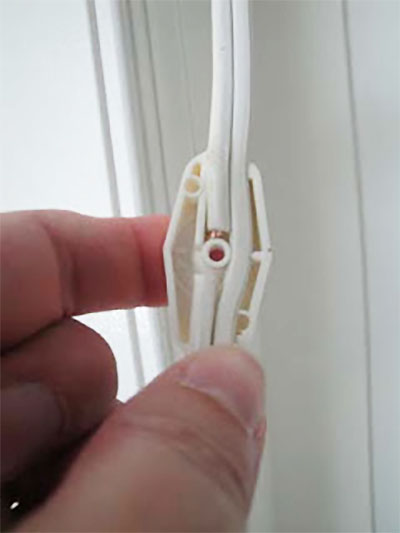
DIY Button Pendant Light |Pretty Handy GirlWire strippers are pretty easy to use. Choose the hole that will just lightly cut the insulation, but not the wires inside. You can gently clamp down and watch as the insulation is scored. Open the pliers and rotate the cord 90 degrees and clamp down again. With the wire strippers firmly closed around the cord, pull the strippers toward the end of your cord. If the insulation is cut all the way through, it should slide right off smoothly.

How to Install a New Chandelier | Pretty Handy Girl

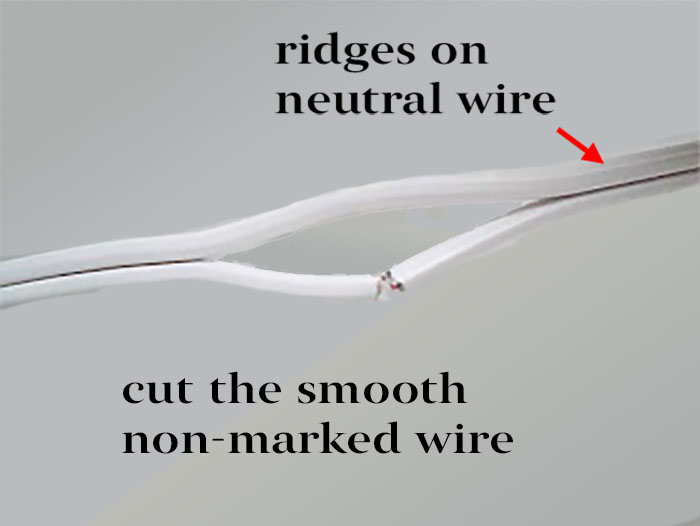
5. Look carefully at your lamp cord. There should be two wires enclosed in the protective insulation. One side will either have writing on it or will have ridges that run the length of the cord. This “marked or identified” side is the neutral side. It will connect to the white wires in your lamp.

6. Twist the neutral side with the white wire in your light fixture. Twist the smooth unmarked side with the black (or hot) wire on your lamp.

7. Then twist wire nuts onto your wire connections being sure that you cannot see any exposed wires. If you do, cut your bare wires a little shorter and re-twist them together. Then for extra security try to fold the two wires so they are away from each other.

8. If your lamp has a bare or green ground wire, you can attach that to the mounting bracket when installing it on the wall (or ceiling.)

Hey, congratulations! You just rewired a hard-wired light fixture to turn it into a plug in light!

Adding a Switch to your Lamp Cord:

If you want to install a switch on your cord, stay with me…If not, go treat yourself to a cappuccino! You deserve the reward.

How to Rewire a Hardwired Light to a Plug in | photo of plyers, knife, screwdriver, switch, and instructions

Tools needed:

(I’ve included affiliate links for your convenience. I earn a small percentage from a purchase using these links. There is no additional cost to you. You can read more about affiliate links here.)

Required Safety Tip: BEFORE WORKING ON ANY ELECTRICAL DEVICE, BE SURE IT IS UNPLUGGED OR YOU HAVE TURNED OFF THE POWER TO THE LIGHT FIXTURE OR OUTLET. 

Instructions to Add a Roll Switch to a Lamp Cord:

1. Determine where you want your switch located on your cord.
2. Using your utility knife, cut a 1 ½” slit between the two cords at the location the switch will be.

3. Look carefully at the wires. You will be cutting the smooth or unmarked wire in the center of your split area. This is your hot wire.

How to Rewire a Hardwired Light to a Plug in | photo of a white wire cut on one side

4. Open your switch with your screwdriver. Be careful not to lose the screw or the nut on the reverse side.

5. Now lay your cord inside the switch as shown. If the cut side doesn’t fit neatly on the divided side of the switch, you can cut one of the smooth wires a little shorter.

How to Rewire a Hardwired Light to a Plug in | photo of an open row switch being installed on a lamp cord wire

6. Place the cover back on the switch and screw it back on tightly. You will need to make sure the cover and back fit snuggly together with no gaps. It might help to squeeze the covers together firmly before inserting the screw. This is important, because there are little metal prongs that need to pierce into the wire insulation and touch the bare wire in order for the switch to work.

7. Plug in your cord and test the lamp. Roll the switch, if it doesn’t work you will need to UNPLUG THE CORD and press the switch together firmer and/or tighten your screw.

DONE! You just installed a switch on your lamp cord.  Congrats to you!

How to Rewire a Hardwired Light to a Plug in | photo of roll switch added to lamp cord wire
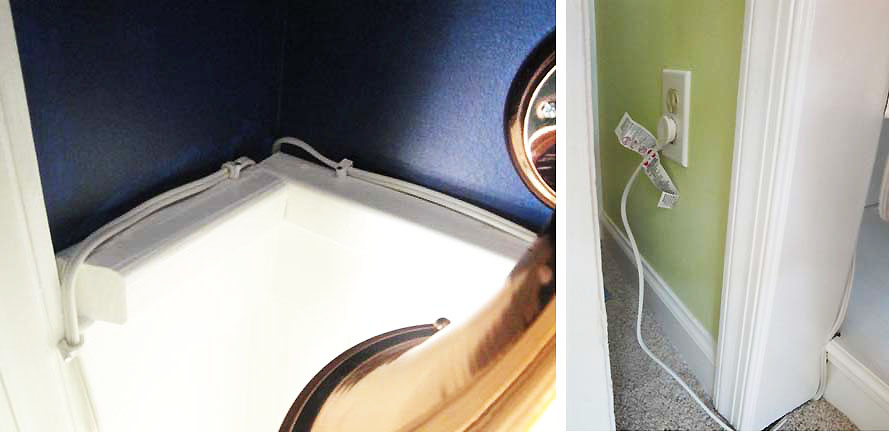
For my sconce in the closet turned reading nook, I used cable tacks to secure the cord around the trim of the closet. Then snaked the cords as close to the trim and baseboards as possible. This keeps the cords out of the way and makes it look cleaner. Be forewarned, this isn’t exactly up to code, but since it’s in my home, I’m going to let it slide.
How to Rewire a Hardwired Light to a Plug in | photo of a wire tacked along-moulding-with-cable-staples
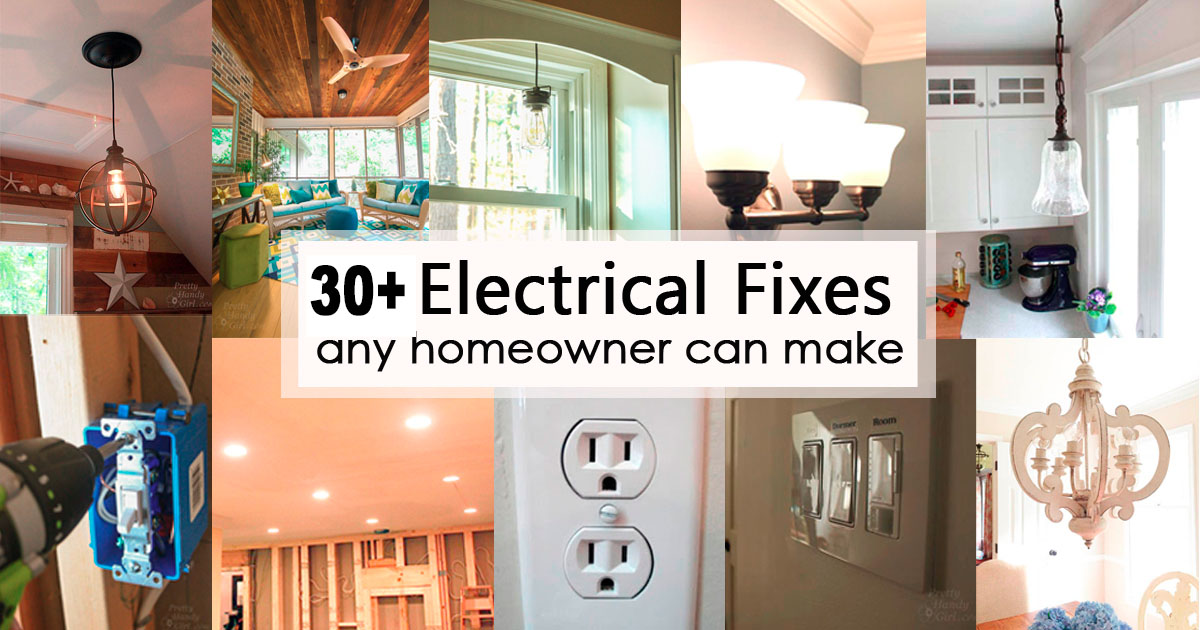
If you liked this DIY electrical post, you’ll find lots more tutorials in the post on 15 Electrical Fixes and Homeowner can Make.

15 Electrical Fixes Any Homeowner Can Make

Happy Electrical Updating!

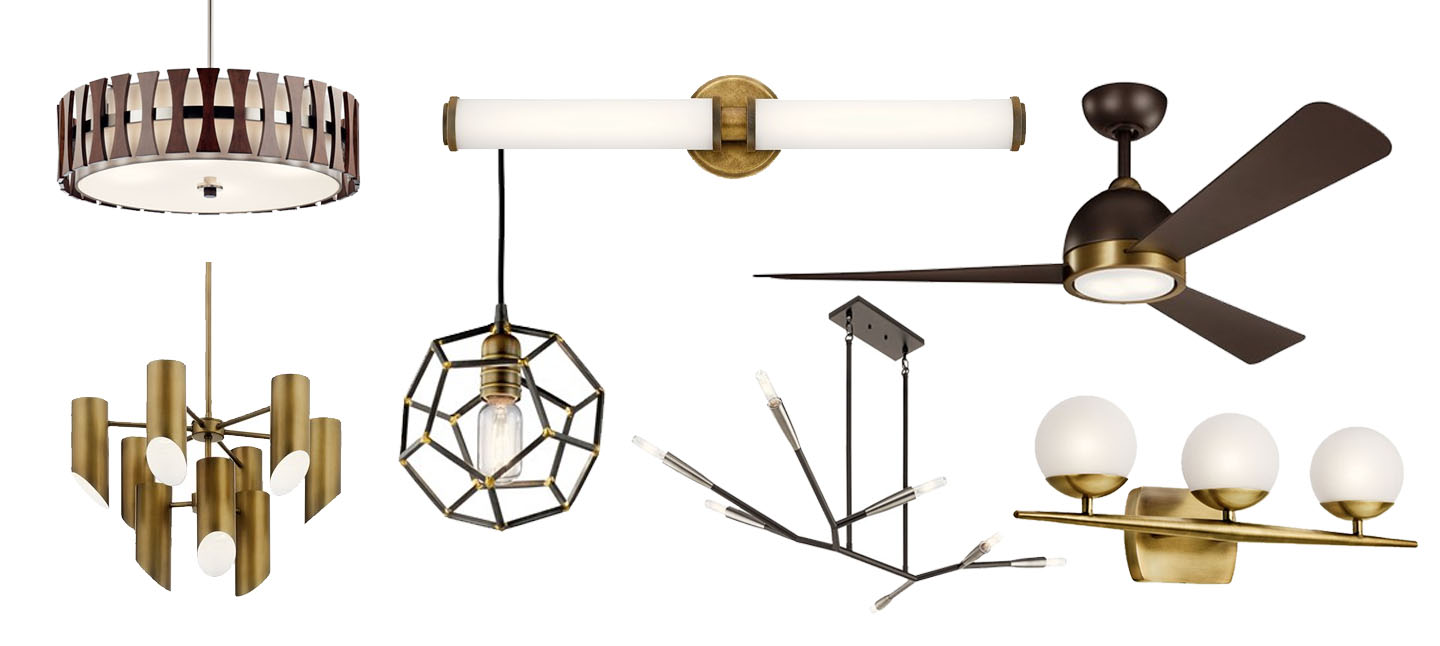
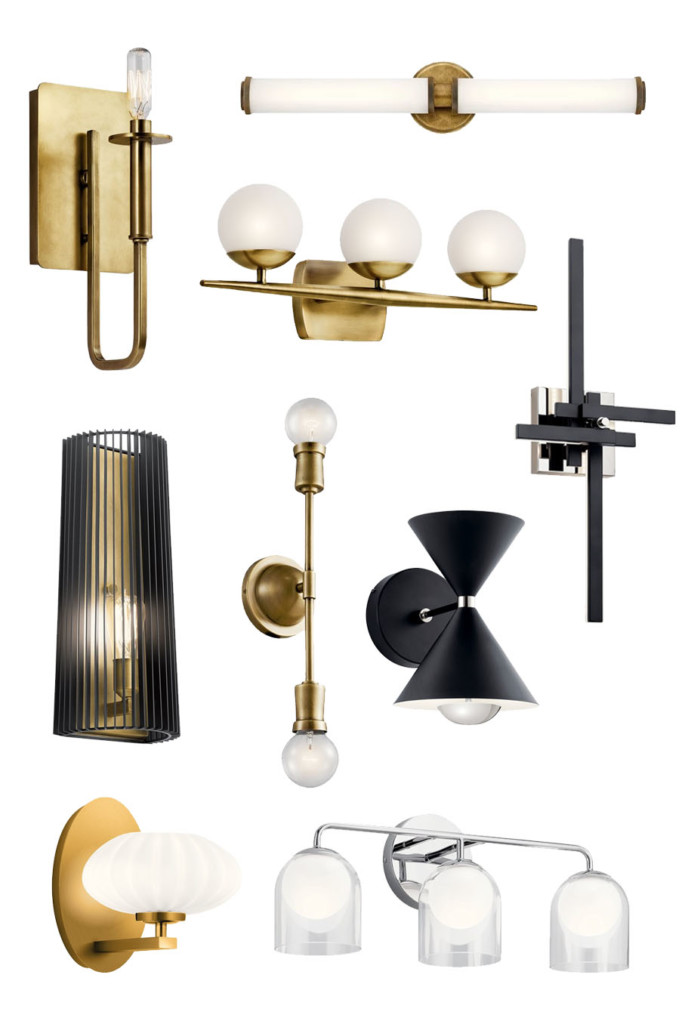
Mid-Century Modern design is a trend that is sweeping the design world by storm. While researching lighting options for Millie’s Remodel, I curated a list of possible light fixtures. Here are some of my favorite mid-century modern lighting options.


Mid-Century Modern Lighting Options for Millie’s Remodel

Mid-Century Modern design style is filled with sleek lines, golds, wood tones, and shapes reminiscent of galactic constellations. While looking for lighting options for the Millie’s Remodel house, I spent a fair amount of time curating lighting to fit with the modern style. Luckily I found a fair amount of light options and a few ceiling fans that would look perfect in any mid-century modern house.

Disclosure: Kichler Lighting is a Millie’s Remodel gold sponsor. I was provided with complimentary fixtures for the house. 

Mid-Century Chandeliers

Chandeliers are often the focal point in a room and for good reason. Typically they are larger in size, elegance, and number of light bulbs than other fixtures in the home. Why not steal the show with one of these mid-century modern style chandeliers?

Aura 7 Light Chrome Chandelier | Pim 6 Light Oval Chandelier | Cirus Wood Pendant Style Chandelier | Eris 8 Light Nickel Chandelier | Branches 7 Light Chandelier | Linara 6 Light Black Shade Chandelier | Armstrong 8 Light Chandelier | Trentino 9 Light Chandelier | Alden 6 Light Chandelier | Maclain Brass Shade Light


Mid-Century Modern Pendant Lights

Pendant lights might be my favorite light fixtures after chandeliers. With their smaller size, pendants can fit perfectly over a sink, paired in a set of two on either side of a mirror, or in groupings over an island or bar. These are some great options for Mid-Century Modern pendant lights.

Mid-Century Modern Pendant Lights

Kordan Matte Black Hourglass Pendant | Elias 14″ Black Penant Light | Alscar 4 Light Foyer Pendant | Taubert 3 Light Foyer Pendant | Rocklyn Hexahedron Pendant | Antonia 1 Light Chrome LED Pendant | 1 Light Undulating Line Bronze Pendant | Maclain Brass Pendant Light | Sorno Mini Gold Pendant Light


Mid-Century Modern Ceiling Lights

When you have low ceilings, flush mount and semi-flush mount light fixtures are a necessity. Meet a whole crop of beautiful mid-century modern inspired ceiling lights.

Mid-Century Modern Flush and Semi-Flush Mount Ceiling Lights

Trentino 4 Light Brass Lights | Alscar 4 Light Semi-Flush Light | Taubert 4 Light Square Light | Alton Flush Mount Light | Sylvia Brass Rail Light | Sorno 3 Light Semi-Flush Mount | Beckenham 2 Light Chrome Cube Light | Armstrong 3 Light Brass Flush Mount Light

Mid-Century Modern Wall-Mounted Lights & Sconces

Bathrooms are the primary location for wall-mounted lights, but look close for other opportunities to use wall-mounted lights. Sconces are right at home on either side of a window, doorway, or to add lighting on a staircase. Regardless of where you want to install them, here are some great options for mid-century modern wall-mount lights.

Mid Century Modern Wall Mounted Sconce Lights

Alden Brass 1 Light Sconce | Indeco Linear Bar | Jasper 3 Light Bath Light | Linara Black Wall Sconce | Armstrong Brass 2 Light Sconce | Kordan 2 Light Wall Sconce | Charter Black Sculpture Wall Sconce | Pim 1 Light Gold Wall Sconce | Beryl 3 Light Vanity Light


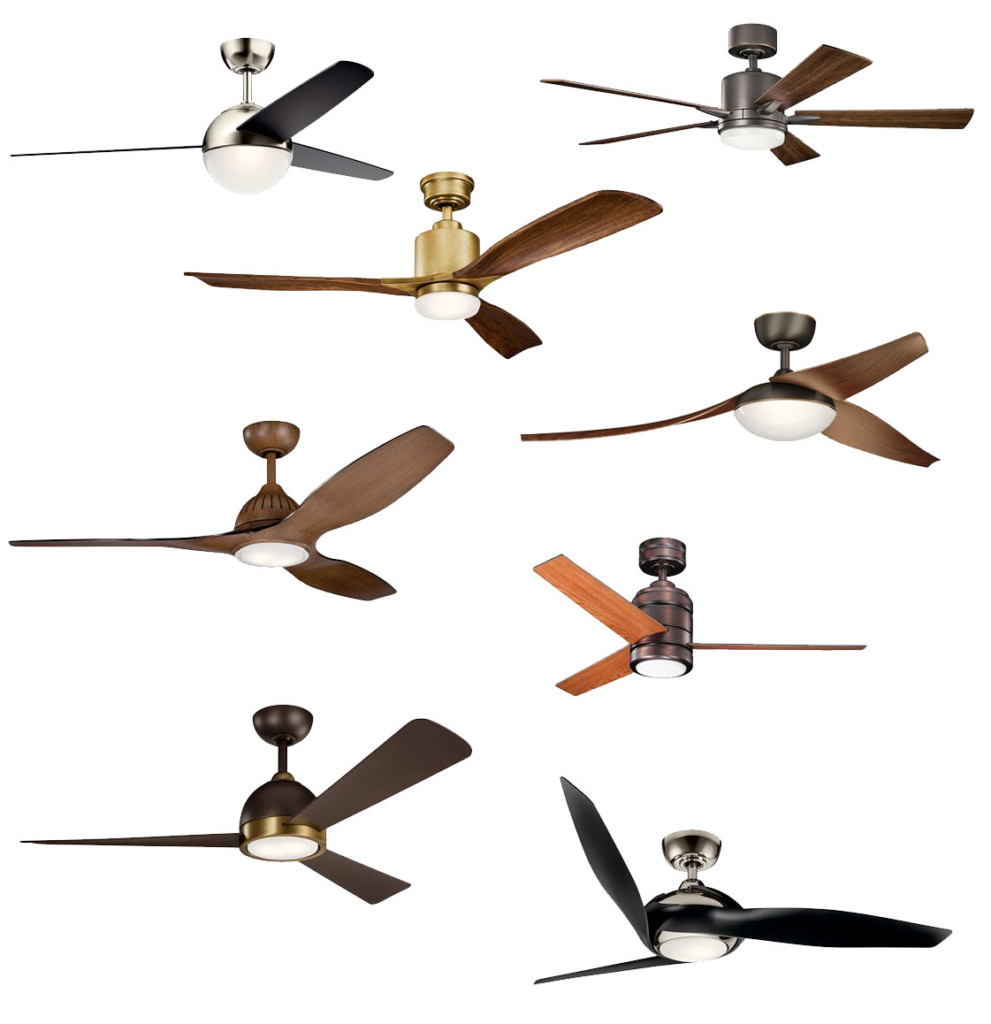
Mid-Century Modern Ceiling Fans

Those of us that live in warmer climates know sometimes you need a ceiling fan paired with your light. There’s nothing like a hot and humid evening to encourage some airflow over your skin to cool off. Below are several sources for ceiling fans that pair nicely with mid-century modern furniture and fixures.

mid-century ceiling fan options

Bisc LED Fan Polished Nickel & Black Fan |Lucian 52″ LED Old Bronze Fan | Ridley II 52″ Brass & Wood Fan | Flyy LED 60″ Fan Olde Bronze | Jace 60″ Walnut Fan | ArkWright Customizable Fan Motor | Incus 56″ Bronze & Brass Fan | Zenith 60″ Polished Nickel & Black Fan


Are you embracing the mid-century modern design trend? I’d love to hear which are your favorites.

Disclosure: Kichler Lighting is a Millie’s Remodel gold sponsor. I was provided with complimentary fixtures for the house. 

3 Ways to Shorten Light Fixtures for Low Ceilings

Hey all, do you have eight foot ceilings or lower? Have you lamented the fact that the light fixtures you love will be too tall for your height-challenged ceilings? Well put that light fixture back in your cart because I’m here today to show you how to make light fixtures work for your low ceilings with 3 Ways to Shorten Light Fixtures for Low Ceilings.

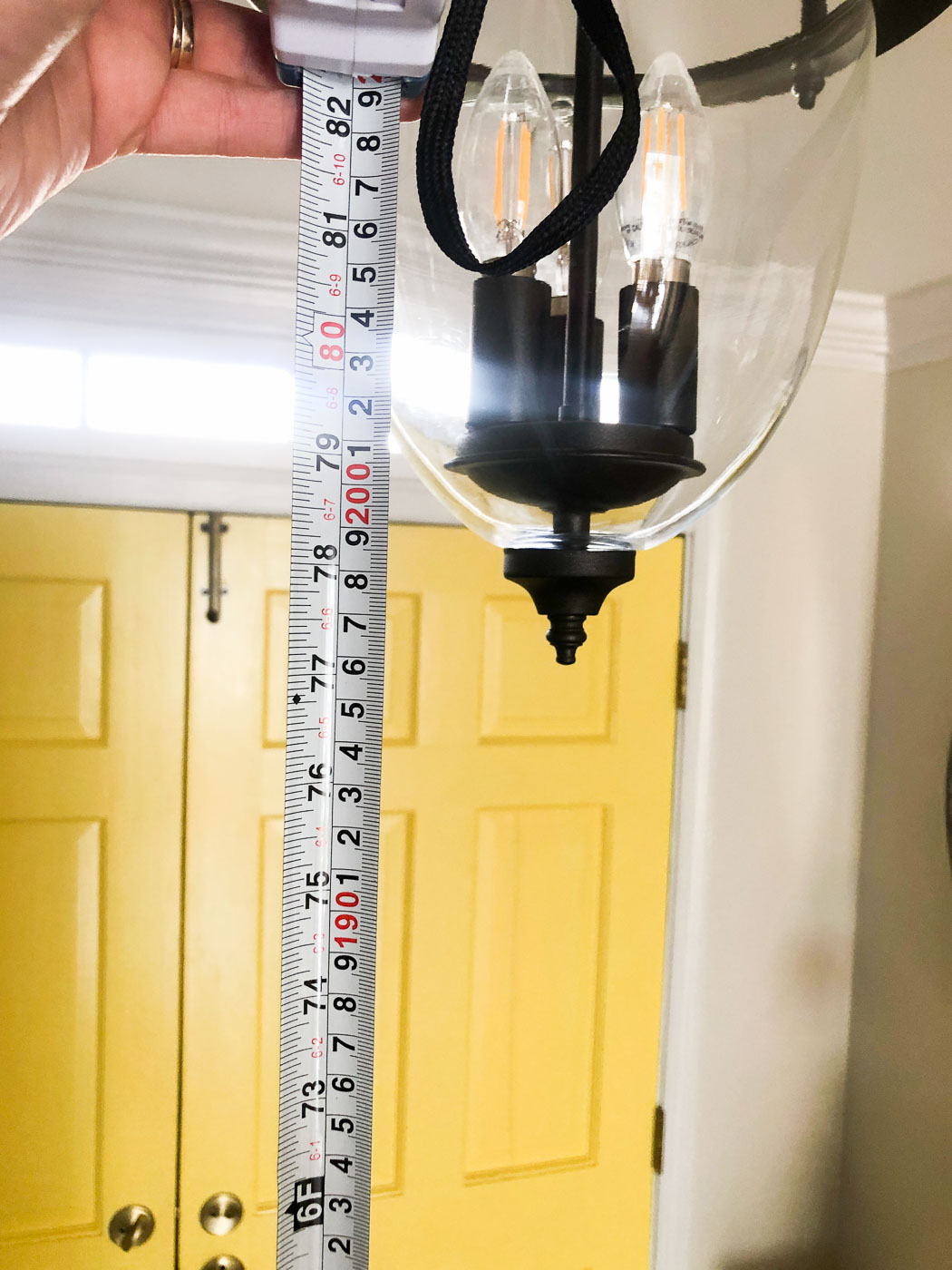
I may only be 5’6″ tall, but my brother-in-law is 6’4″ and my own brothers are both well above six feet tall. Recently my brother-in-law was visiting and he hit his head on our foyer light. He told me it’s an annual occurrence. I was mortified he never told me he hits his head every time he visits! Immediately I got to work shortening the light fixture.

I measured the light and then raised it an inch taller than his height.

Ways to Shorten Light Fixtures

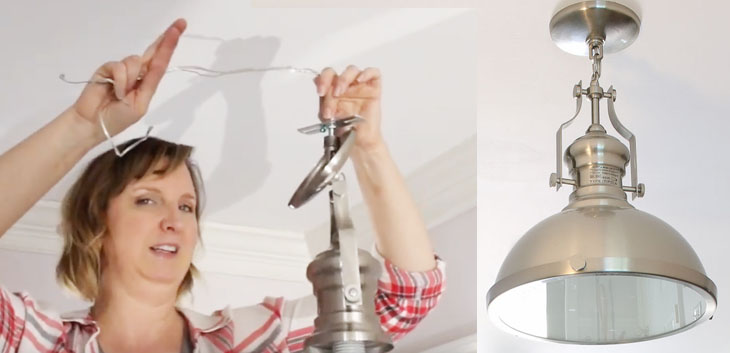
At the same time, I had been contemplating changing our mudroom light fixtures. I was growing tired of them and wanted something that would cast more light in the room. I found the perfect pendant lights, but knew I’d have to alter them to make them shorter for our low ceilings.

To shorten light fixtures, you’ll need a few supplies.

Materials:

(I’ve included affiliate links for your convenience. I earn a small percentage from a purchase using these links. There is no additional cost to you. You can read more about affiliate links here.)

Optional:

Solution 1: Contact the Manufacturer

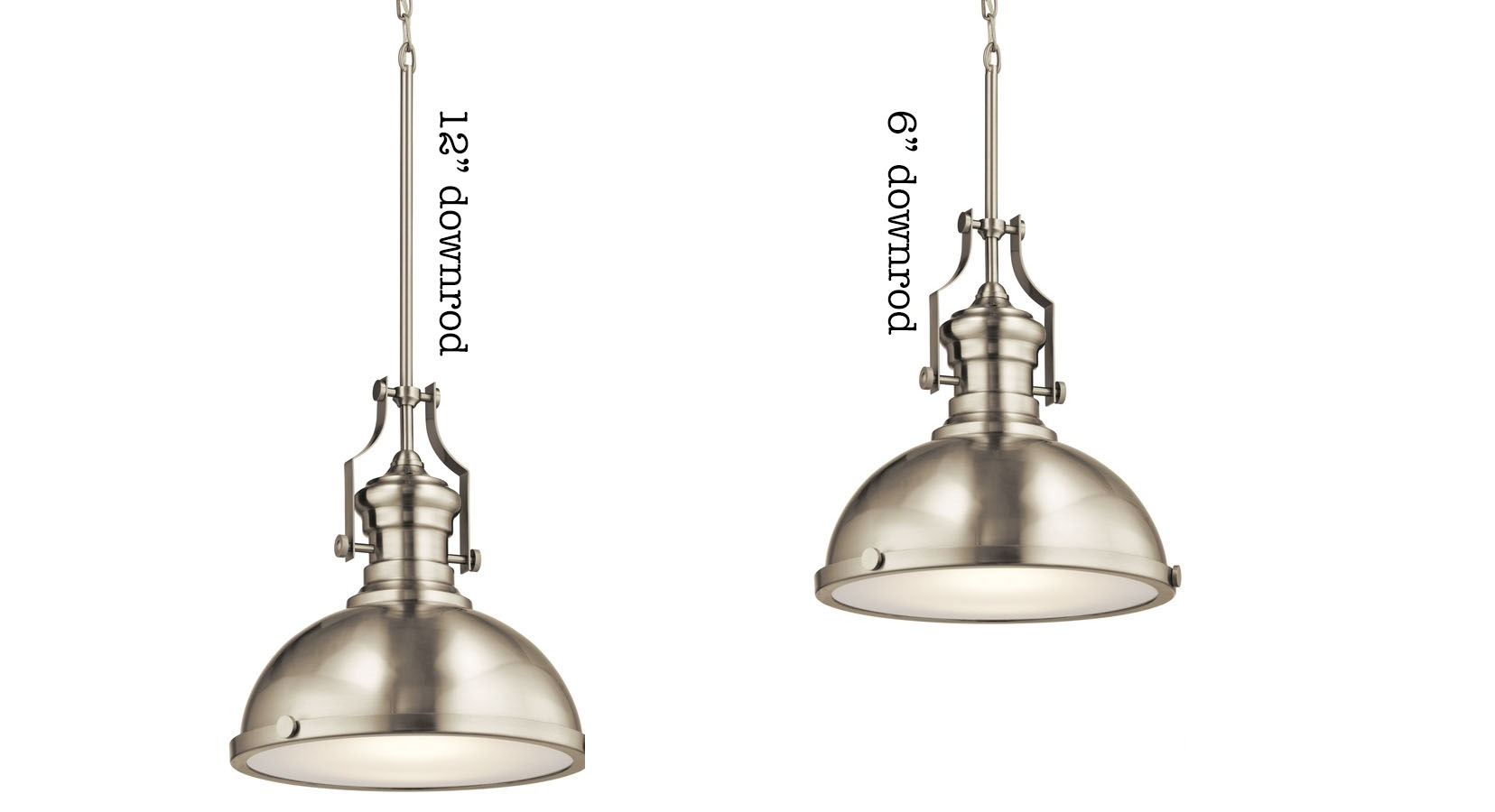
To shorten a light fixture, you can contact the manufacturer and ask if they can provide you with a shorter down rod or parts to assist you with reducing the height of the fixture. For the Kichler Pendant light I purchased, the customer service rep was able to locate a shorter down rod,  a threaded loop, and a chain which allowed me options for shortening the fixture.

down rod lengths

Solution 2: Use Chain instead of a Down Rod

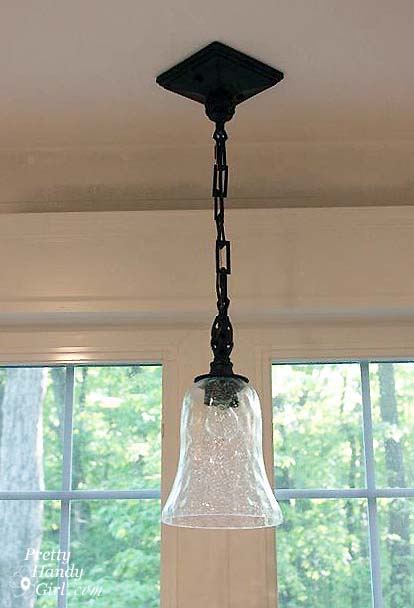
Your second option for shortening a light fixture is to use a chain and remove links until you achieve the desired height.

If your light fixture doesn’t come with a chain, you can purchase some in a variety of finishes at your home improvement store.

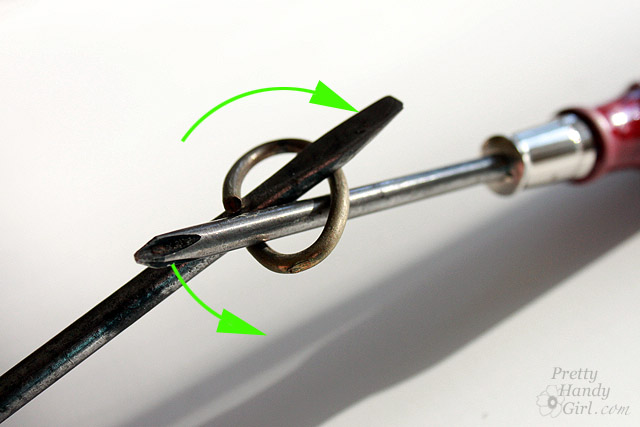
Did you know removing links can be done easily by using two screwdrivers or pliers and a screwdriver to push in opposite directions against the inside of a link to open it up.

To close the links, use the pliers to squeeze the link ends back together. After your chain is the appropriate length, feed the wires through the links and the threaded loop in your light fixture.

Solution 3: Make Your Own Connector

Occasionally a light fixture may still be too tall (or your ceilings too low) and you may need to remove the chain or down rod all together and make your own connector.

First measure the finished height you want your fixture to be. Remove the chain and/or down rod. Feed the excess wire through the threaded loop. Attach the light fixture directly to the threaded loop with a quick link, or you can use heavy gauge wire to create your own link. (Watch the video below to see how.)

Hopefully one of those 3 Ways to Shorten Light Fixtures for Low Ceilings will work for you. Let me know if you found this tutorial helpful!

If you want more details on how to install a pendant light, I have several tutorials in my Electrical category.

Or you might find one of these tutorials helpful:

3 Ways to Shorten Light Fixtures

How to Install a Wired Pendant Light


Convert a Recessed Light to Accept a Hardwire Fixture | Pretty Handy Girl

How to Install a Hard-Wired Pendant in a Recessed Can Light

Laundry Room Update and a No Hands Light Switch

Saving Etta: Laundry Room Update and a No Hands Light Switch

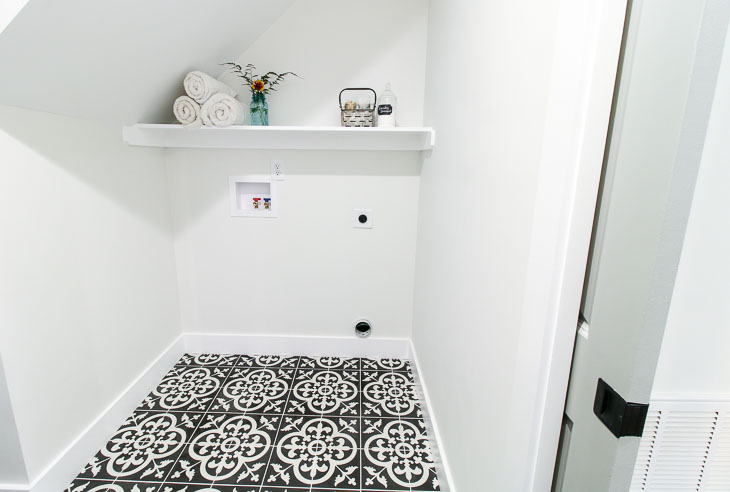
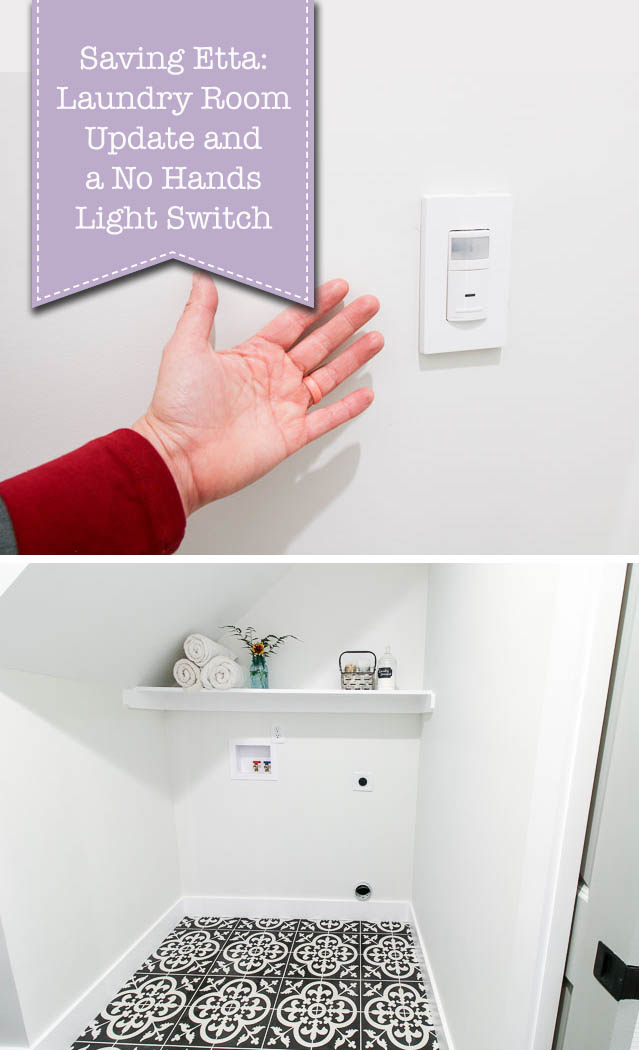
About that Saving Etta laundry room, did you get a peek last week? If you missed it, I showed you how I installed the cement tile floor. We can all agree, the star of the laundry room is the floor. But, there’s another star in this room that’s hard to show in pictures. It’s this little guy:

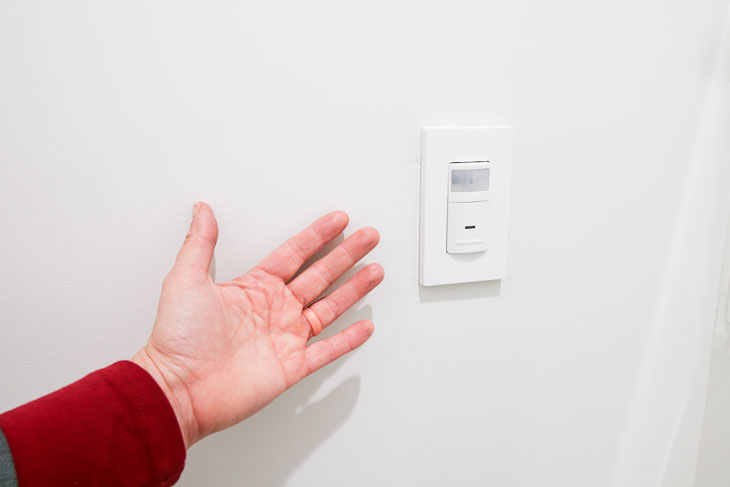
Laundry Room Update and a No Hands Light Switch

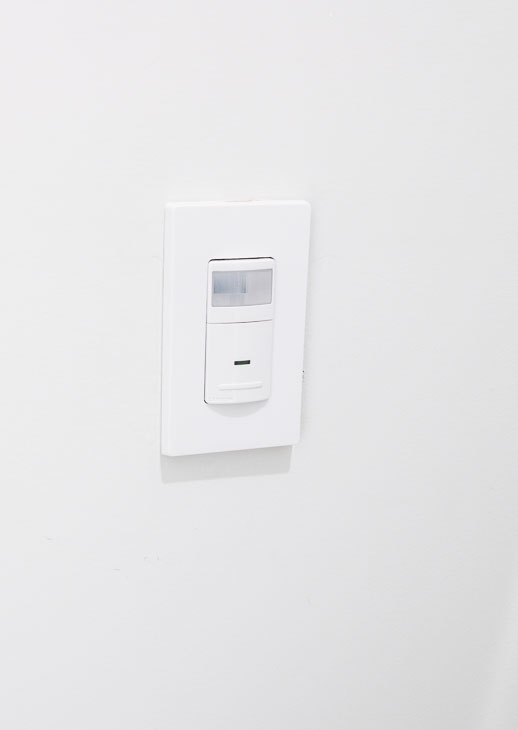
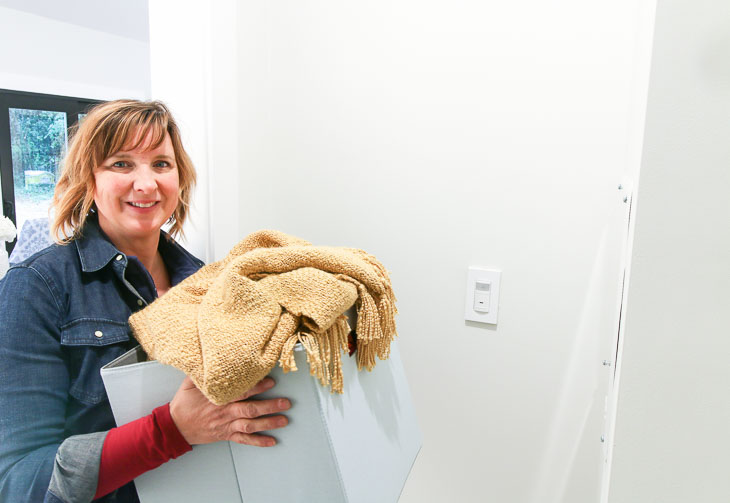
That, my friends, is a Decora motion sensor in-wall switch from Leviton (one of the proud Saving Etta sponsors.) And it works automagically! When you walk in the room, the light comes on. Then it shuts off after a predetermined amount of time (choose between 30 seconds, 5 minutes, 15 minute, or 30 minutes for the time-out period.)

Before I tell you more about this fabulous no hands light switch, I need to give you the full details about the laundry room and discuss something I would definitely do differently next time.

Saving Etta: Laundry Room Update

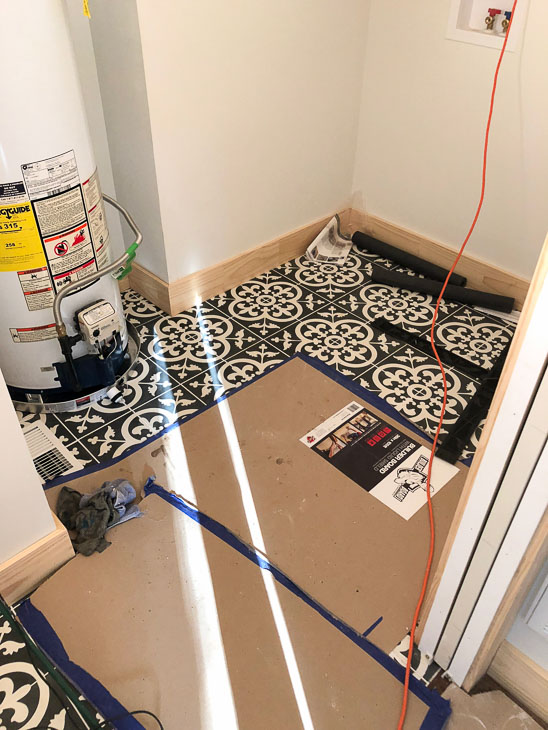
After the cement floor tiles were installed, I had to cover them up with Builder Board from Surface Shields to protect them. The small area covered was protected, but I should have covered the entire floor because my mechanical subcontractors were the messiest bunch of guys I’ve ever met. Every time they came into the house I had to follow them around cleaning up mud and dirt. Plus, I lost track of the number of fingerprints they left on the walls. Seriously, it was like following children who had just played all afternoon in the mud.

Laundry Room Update and a No Hands Light Switch

To make matters worse, they didn’t share my eye for aesthetically pleasing mechanics.

Laundry Room Update and a No Hands Light Switch

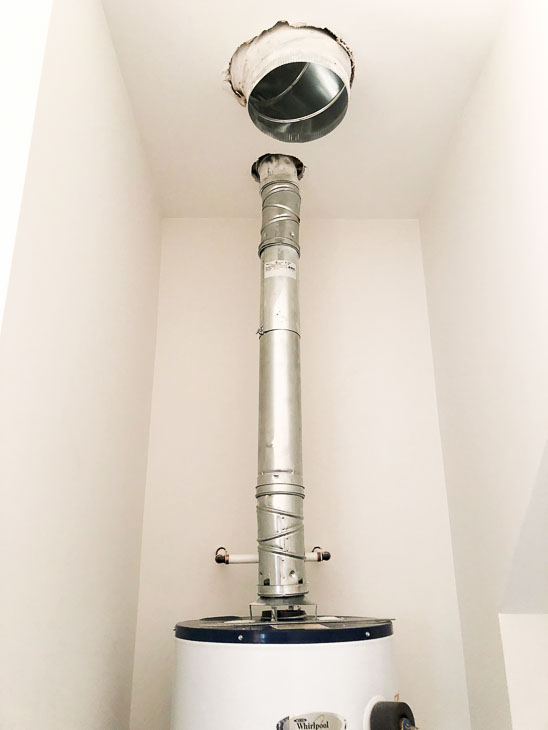
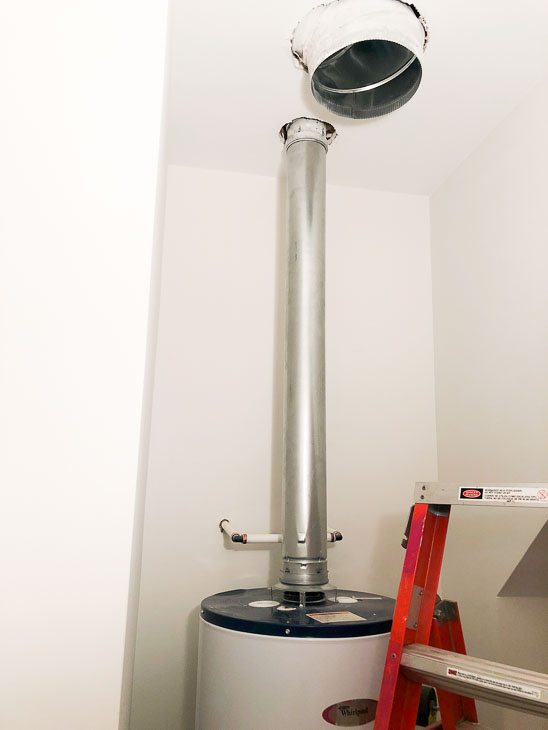
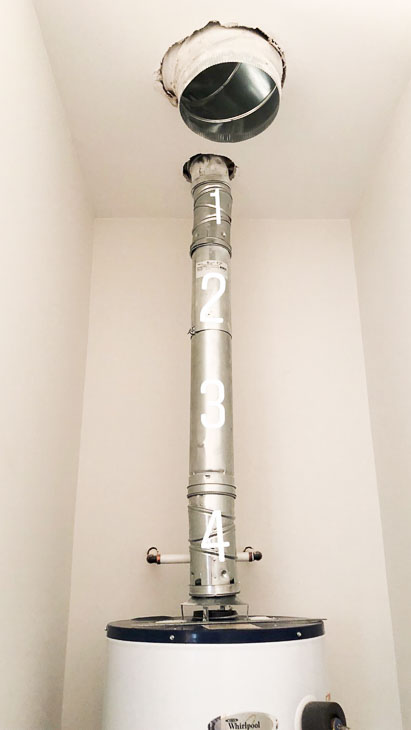
Avert your eyes from the giant hole in the ceiling and look at the water heater vent pipe. Did you count all the sections?

Laundry Room Update and a No Hands Light Switch

One, two, three, four sections. What the fizz?! When I called my mechanical contractor, I told him this looked like a preschooler installed it. In all fairness, it would have passed the inspections, but I hated how it looked. Instead of letting them monkey around more, I took matters into my own hands and ran to Ferguson to purchase one vent pipe. It looks much better, right?

Laundry Room Update and a No Hands Light Switch

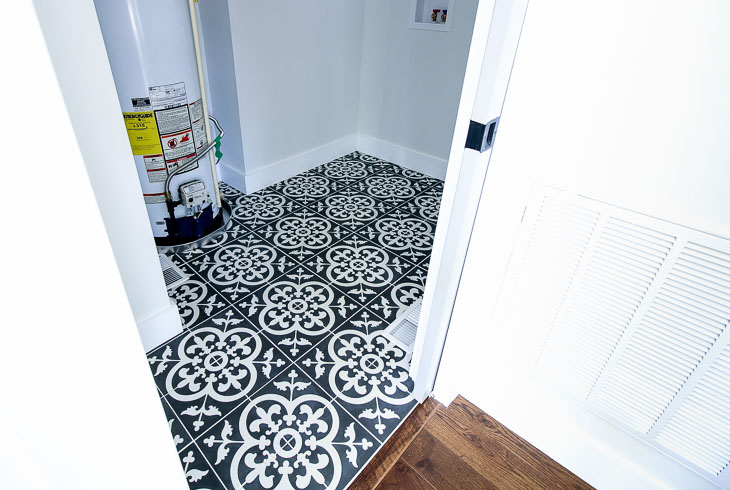
I’m sure you are wondering about the giant hole in the ceiling — it’s for make up air. This is required when you have a gas appliance in an enclosed room. The codes want to make sure that gas can’t build up in the room. I had already installed a built-in vent over the door, but the inspector wanted more. We added make up air in the floor. (You can see it in the picture below. It’s the hole in the floor on the left. And it eventually got a floor vent cover.)

Installed Avington Cement Tiles from TheBuilderDepot.com

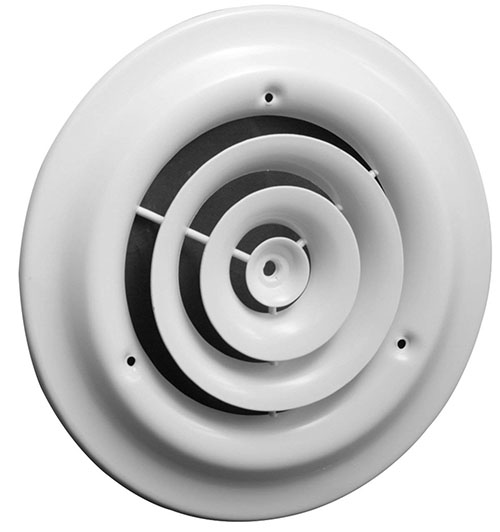
But, the inspector still wanted more make up air. My mechanical contractor suggested cutting holes in the wall into the kitchen, but I said “No way!” Ultimately, the best (and least unattractive) solution was a ceiling vent which eventually got a round diffuser placed over it.

Laundry Room Update and a No Hands Light Switch

It felt like the issues around the gas water heater were never ending. One of the inspections noted where there wasn’t enough clearance between the vent pipe and the framing. It was easily fixed, but between this and all the makeup air required for the gas water heater, I have vowed to go tankless next time. In the next flip, I’ll listen to my plumber’s suggestion to install a tankless water heater. It will cost more, but will look a lot better and not have as many issues during installation. A tankless water heater will still need to be vented, but it can be vented out the wall instead of the roof.

Laundry Room Update and a No Hands Light Switch

Live and learn, right? Regardless, the laundry room is still a show stopper with the cement tiles and room for a side-by-side washer and dryer. (Most of the houses in the downtown area only have room for a stackable washer and dryer.)

Laundry Room Update and a No Hands Light Switch

How to Install a Hands Free Light Switch

Now, onto the one affordable upgrade I will make again and again! The Leviton motion sensor switch is a wonderful addition to a laundry room or other areas in your home where you frequently have your hands full carrying things such as laundry or groceries. Or you might be carrying something so filthy you don’t want to touch the light switch. As soon as the door is opened (or someone walks into this room) the sensor detects your presence and turns the light on. It will also automatically turn the lights off, saving you frustration and money in rooms where lights are frequently left on.

Laundry Room Update and a No Hands Light Switch

The Leviton Decora Motion Sensor is set to turn off after 15 minutes when no motion is detected, but you can set the device to turn the lights off at 30 seconds, 5 minutes, 15 minutes, or 30 minutes. The motion sensor can also be tweaked to detect motion in a certain range from the sensor.

You’ll definitely want one in your house, so here’s the video tutorial to learn how to install a Leviton Decora Motion Sensor switch:

Materials:

(I’ve included affiliate links for your convenience. I earn a small percentage from a purchase using these links. There is no additional cost to you. You can read more about affiliate links here.)

Instructions:

Before installing the motion sensor, turn off the power at the circuit breaker to your switch. Using a voltage tester, make sure the power is off.

Disclaimer: Always use caution when working with electricity. Follow the instructions provided with your device. Do not attempt to make changes to your home’s electrical system without prior electrical experience and knowledge of your area’s electrical codes. Contact a licensed electrician if you have any questions. Pretty Handy Girl can not be held responsible for personal injury or harm.

  1. Remove the Leviton Decora Motion Sensor from the package and read the instructions.
  2.  Look at your wiring, you should have a ground wire (bare or copper), a neutral wire (white), a line wire (this is the live wire that’s usually black), and a load wire (sometimes it’s also black and sometimes red.) The line wire is the wire that carries the electrical current from the circuit breaker to the switch. The load wire carries the power from the switch to the light fixture.
  3. Strip ⅝” of the insulation off the wires. You don’t need to bend your wires into shepherds hooks, the wires can be inserted straight under the screws on the Leviton Motion Sensor.
  4. Always connect the ground wire first. 
  5. The neutral wires should be connected to each other not the sensor.
  6. Next connect the load wire to the black terminal.
  7. Finally connect the line wire to the red terminal.
  8. Gently fold and tuck the wires into the wall box. Make sure the word TOP is facing up on your sensor.
  9. Drive the screws into the top and bottom of the motion sensor.
  10. Turn the power back on and test your motion sensor. If it works, great!
  11. Follow the instructions to make any adjustments to the length of time the lights stay on and the motion sensing field.  
  12. Attach the cover to the motion sensor.

Laundry Room Update and a No Hands Light Switch

Enjoy hands free control of your lights with the Leviton Decora Motion Sensor

Laundry Room Update and a No Hands Light Switch

You can also install the motion sensor in a room where little kids like to play but aren’t good about turning out those lights. Or in that dark room where you always fumble for the light switch.

What about you, where would you install a motion sensor light switch?

Laundry Room Update and a No Hands Light Switch

Disclosure: This is a sponsored post for Leviton. I was compensated for my time and efforts to promote the Leviton Residential products. However, all ideas and opinions are my own. I will always let you know when you are reading a sponsored post. You should also note that I’m very particular about the brands I work with.

 If you haven’t done so already, be sure to *subscribe to my YouTube channel!

Subscribe to my YouTube Channel

*My followers on YouTube get sneak peeks of some of the projects I’m working on, so subscribe today!

Want more automation in your home? You’ll definitely want to check out these tutorials:

How to Install Smart Dimmer Switches

How to Install Smart Dimmer Switches


How to Install USB Charging Outlets

How to Install a USB Charging Outlet